CLO
Color Variation
Logo primarily utilizes CLO BLUE. We also have mono options ranging from white, light gray, gray and black.
Background Color Variation
These lighter tone colors can be utilized for backgrounds, along with the main color CLO BLUE.
Color Mix Suggestion
Here are some color combinations that work well as backgrounds.
Suggestion 1
Suggestion 2
Suggestion 3
Suggestion 4
Marvelous Designer
Primary Color Variation
MD Yellow is presented with a lighter variation while MD Orange has 2 additional darker variations.
The primary gradient colors are also provided.
Primary Gradient Color Variation

Mono Color Variation
5 shades of grays that complement the MD colors are provided here.
Background Color Variation
Here are some color combinations that work well as backgrounds against the MD colors.
Color Mix Suggestion
Here is a suggested color palette with appropriate mixes for primary, mono, and background colors.
Suggestion 1
Suggestion 2
Suggestion 3
Suggestion 4
Suggestion 5
CLO-SET
Primary Color Variation
CLO-SET's primary color is aqua, and here we present lighter and darker tones that can be used.
Mono Color Variation
Here are some gray colors that work well when used alongside the primary color, aqua.
These can be used effectively in text, background, and other elements.
Background Color Variation
These can be used in combination with various colors, along with the main color CLO BLUE.
Color Mix Suggestion
Here is a suggested color palette with appropriate mixes for primary, mono and background colors.
Suggestion 1
Suggestion 2
Suggestion 3
Suggestion 4
Suggestion 5
Primary Color Variation
The most important color for CONNECT is aqua. Also provided are the gradient codes as well.
Primary Gradient Color Variation

Mono Color Variation
These are gray shades that can be used effectively in text, background, and other elements.
Sub Color Variation
These are colors that can be used as secondary options.
Prioritize use of primary colors and only use these at less than 10% ratio of overall content.
Jinny
Primary Color Variation
The most important color for Jinny is Purple. Also provided are the gradient codes as well.
Mono Color Variation
These are gray shades that can be used effectively in text, background, and other elements.
CLO-Vise
Color Variation
Logo primarily utilizes CLO BLUE. We also have mono options ranging from white, light gray, gray and black.
Background Color Variation
These lighter tone colors can be utilized for backgrounds, along with the main color CLO BLUE.
Color Mix Suggestion
Here are some color combinations that work well as backgrounds.
Suggestion 1
Suggestion 2
Suggestion 3
Suggestion 4
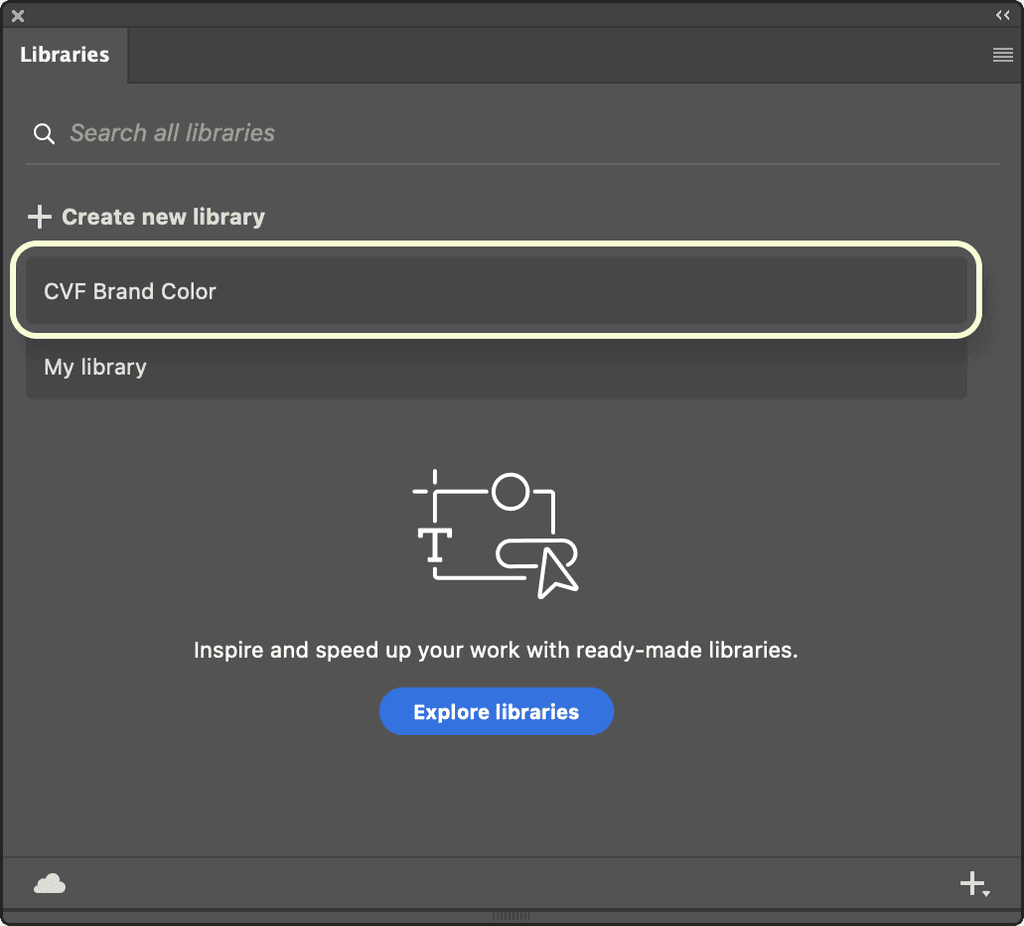
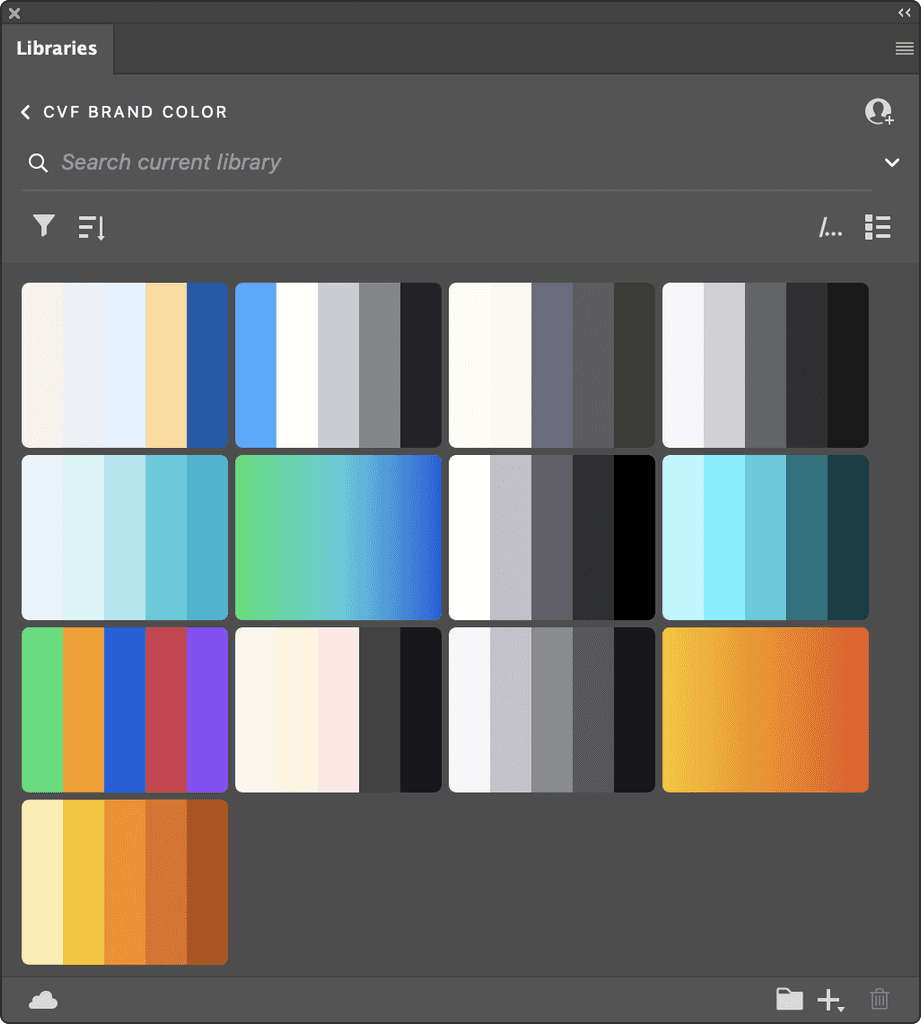
Adding a brand color palette to Adobe tools
Employees who use Adobe tools such as Photoshop and Illustrator with our company account (clo3d.com)
can access our company's branding color palette by opening the Library panel.
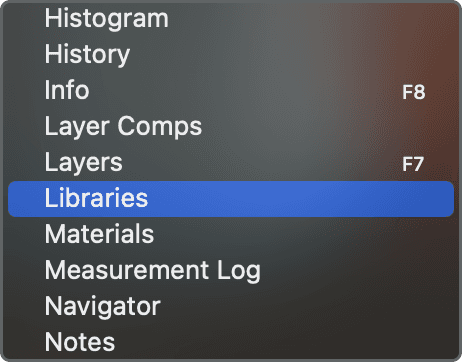
1. Click on the [Window] menu at the top.
2. Select [Libraries] from the list to activate it.
1. Make sure the Library panel is open as per the previous instructions.
2. Look for [CVF Branding Color] within the Library panel.
3. Click on [CVF Branding Color] to select it.